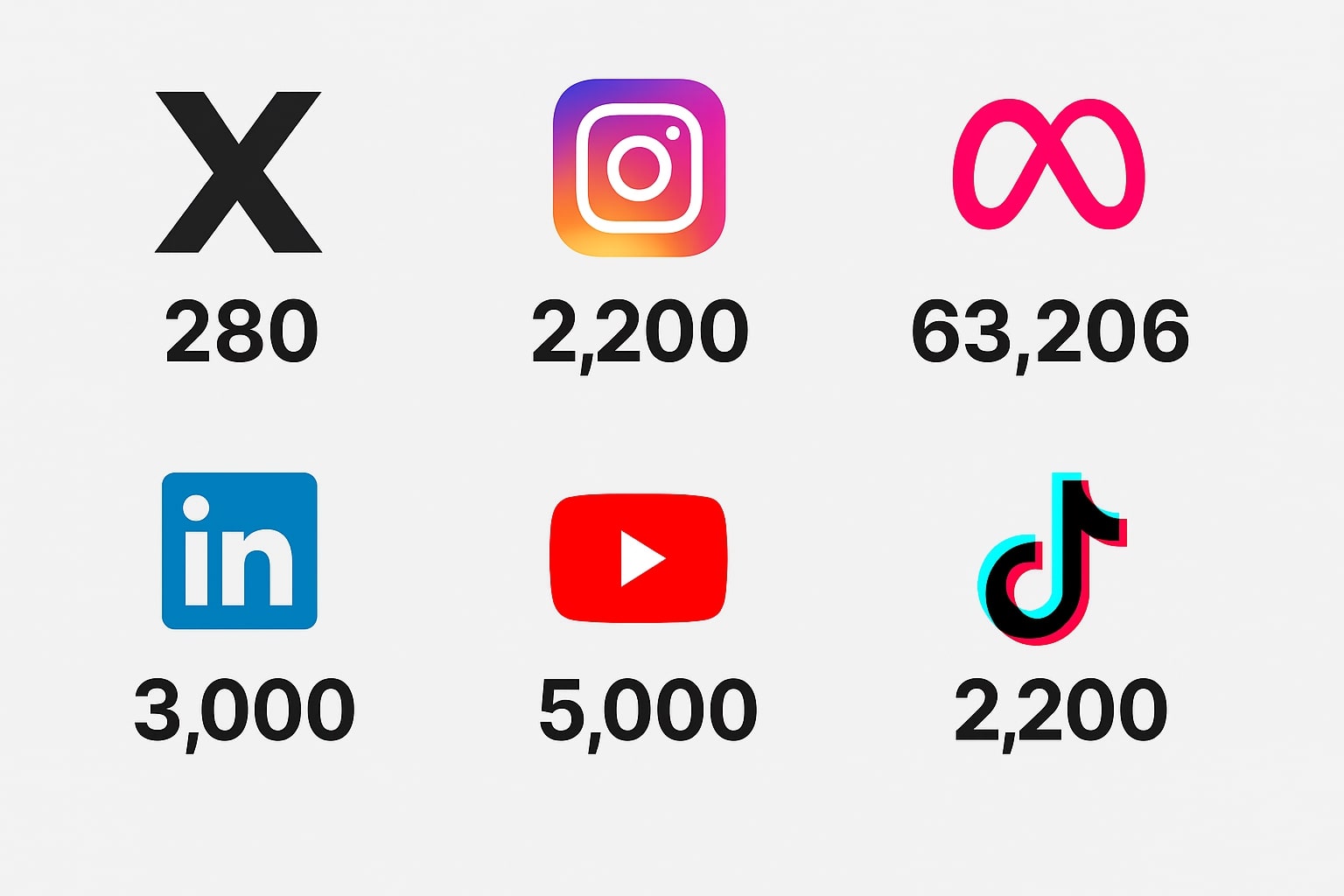
Every social media manager has felt the pain: you craft the perfect, insightful post, only to realize you're 50 characters over the limit. Each platform has its own rules, and keeping them straight can be a challenge. This guide serves as your definitive cheat sheet for the most important character limits in 2025.
The 2025 Character Count Cheat Sheet
Here are the key limits you need to know for crafting posts, bios, and profiles on the major social media platforms.
- X (formerly Twitter): 280 characters. The classic limit that forces ultimate conciseness. Links and images take up a small, fixed number of characters.
- Instagram: 2,200 characters for post captions. While you have a lot of room, remember that only the first 125 characters are visible in the feed before the "more..." link. Make them count!
- LinkedIn: 3,000 characters for a post. This allows for more in-depth, professional content. For an article, you have a much larger limit of ~120,000 characters.
- Facebook (Meta): A massive **63,206 characters** for a post. However, best practice is to keep posts much shorter (under 300 characters) to maximize engagement.
- TikTok: 2,200 characters for video descriptions. This limit was recently expanded, giving you more space for relevant hashtags and context.
- YouTube: 5,000 characters for a video description. This is a crucial space for SEO keywords, links, and timestamps.
How to Write Effectively Within Limits
Knowing the limits is only half the battle. Here are three tips for writing powerful, concise copy.
- Lead with the Hook: The first sentence is the most important. It needs to grab attention and make the user want to read more. Don't bury your main point.
- Cut Filler Words: Be ruthless in your editing. Remove words like "just," "actually," "in order to," and "very." They add length but no value. (Learn more in our guide to clear writing).
- Use a Real-Time Character Counter: The best way to write for social media is to see your character count as you type. This prevents the frustrating cycle of writing, pasting, and realizing you have to cut half your message.
The Perfect Workflow
Instead of typing directly into each social media app, use a dedicated writing space. Our Online Text Editor & Word Counter provides a clean, private environment to draft your posts. The real-time character counter lets you see your exact length as you write, so you can craft the perfect message for every platform, every time, without any guesswork.
