
Stop Spam Registration
KhubaibTech OTP Registration Shield - A Lightweight & Effective Anti-Spam Plugin for WordPress
Tired of cleaning up thousands of fake user registrations from spam bots? KhubaibTech OTP Registration Shield is a lightweight yet powerful security plugin that adds a crucial layer of verification to your WordPress registration form.
Instead of relying on complex and often frustrating CAPTCHAs, this plugin requires users to prove they have access to the email address they are using. It's a simple, user-friendly process that is incredibly effective at blocking automated spam bots.
How It Works
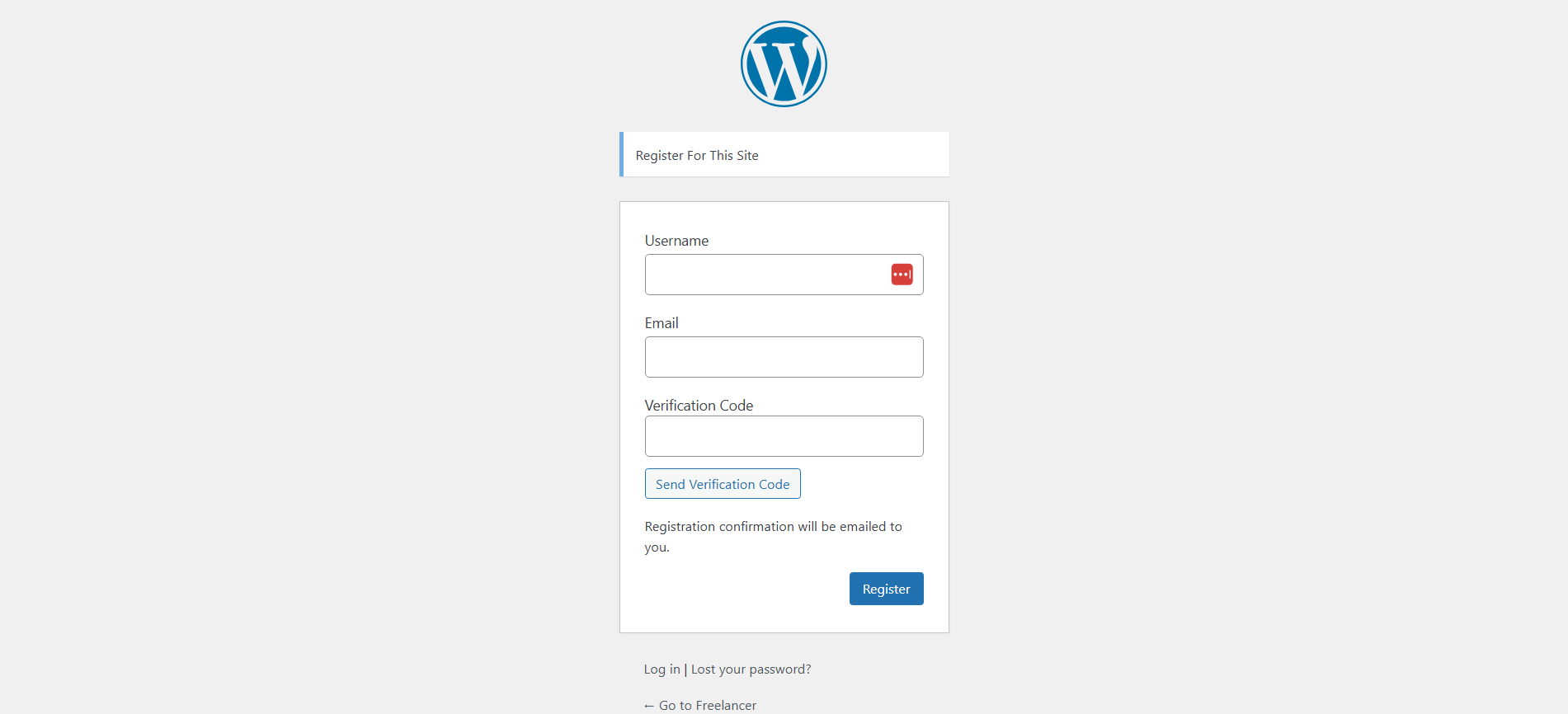
- A "Verification Code" field is added to your default WordPress registration form.
- The user enters their desired username and email, then clicks the "Send Verification Code" button.
- A secure, one-time password (OTP) is sent to their email address.
- The user enters the code to complete their registration.
This ensures that only users with valid, accessible email addresses can register, drastically reducing spam and improving the quality of your user base.
Screenshots
1. The new verification field added to the WordPress registration form.
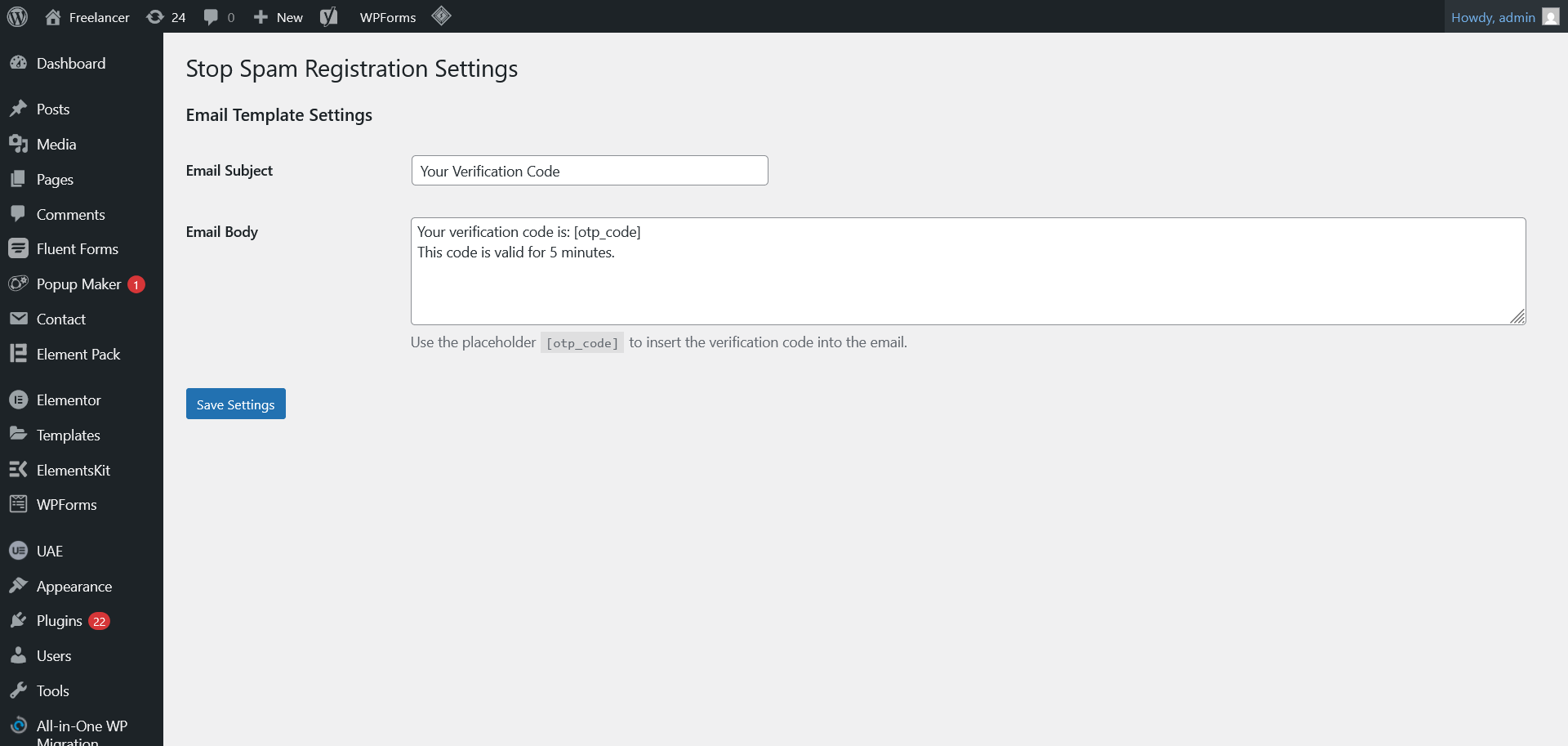
2. The simple settings page for customizing the verification email.
Installation
- Upload the
KhubaibTech OTP Registration Shieldfolder to the/wp-content/plugins/directory. - Activate the plugin through the 'Plugins' menu in WordPress.
- (Recommended) Navigate to Settings > KhubaibTech OTP Registration Shield to customize the verification email.
- That's it! The verification field will now be active.
Frequently Asked Questions
Does this work with custom registration forms?
This version integrates with the default WordPress registration form. Integration with WooCommerce, BuddyPress, or third-party builders is not supported at this time.
Is it secure?
Yes. The one-time code is generated securely and stored using WordPress transients with a 5-minute expiration. All communication is handled via secure AJAX.
Can I change the email that is sent?
Absolutely! Go to the admin dashboard settings to customize the email subject and body.